b2c3d
Concept to Character
Miso the fox and his noodle cart, followed step by step from a painted concept to a scene of separate objects, a built and textured character, a rig and a walk.

Our demo character is Miso, a fox who cooks noodles at a cart in a rain-slick night market. He and his cart were made entirely inside the suite, starting from a sentence, and every step below is a job that wrote an asset with its parents recorded. This page follows them through it in order.
1. A concept, in the show's style
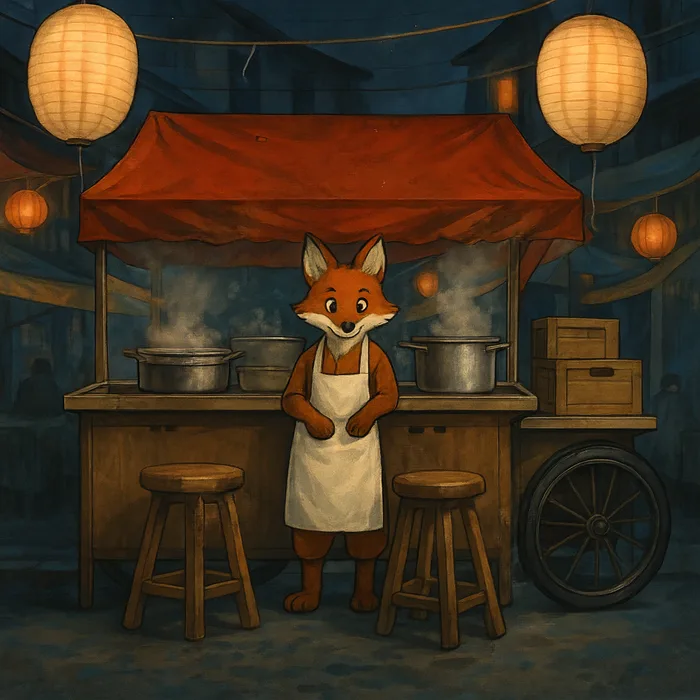
The work starts in Concept. The shot Miso lives in inherits a style named Night Market, a paragraph about warm lantern light against deep blue shadow and soft painterly brushwork. The artist describes the cart, the stools, the steaming pots and the fox in front of them, and the style is appended to that description automatically.
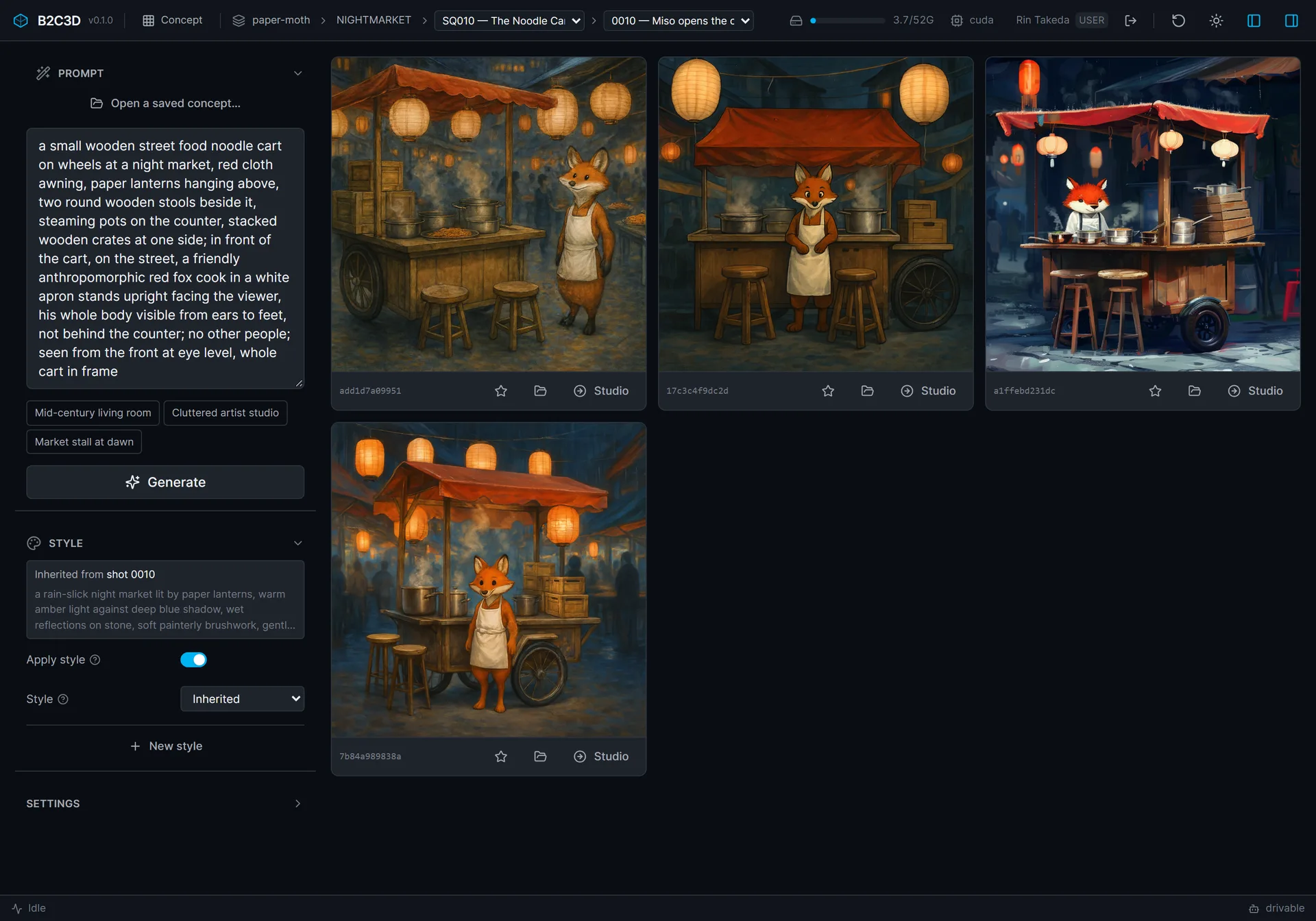
Each variation gets its own seed and lands in the library as an asset the moment it finishes, recording the prompt, the seed, the settings and the style it was made with. One press of Studio on the chosen variation makes it Studio's source image, with no download or upload in between.
2. One box per object
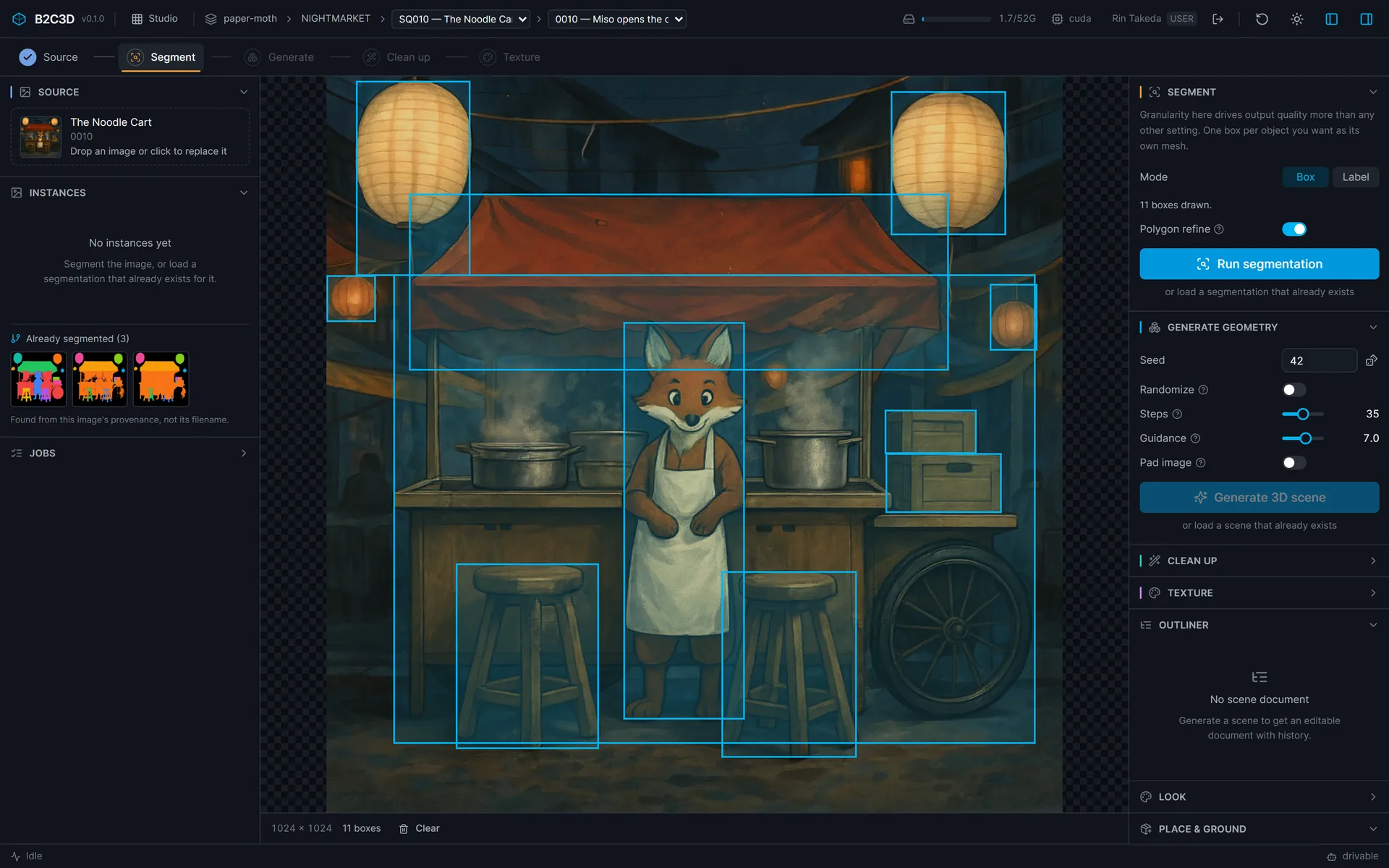
In Studio, the artist draws a box around every object that should come out as a mesh of its own: the canopy, each lantern, the crates, the two stools, and Miso. Giving Miso his own box is what lets him be rigged later as one object of the scene. How finely the image is divided matters more to the result than any other setting, so this step belongs to the artist, not the model.
3. Generated together
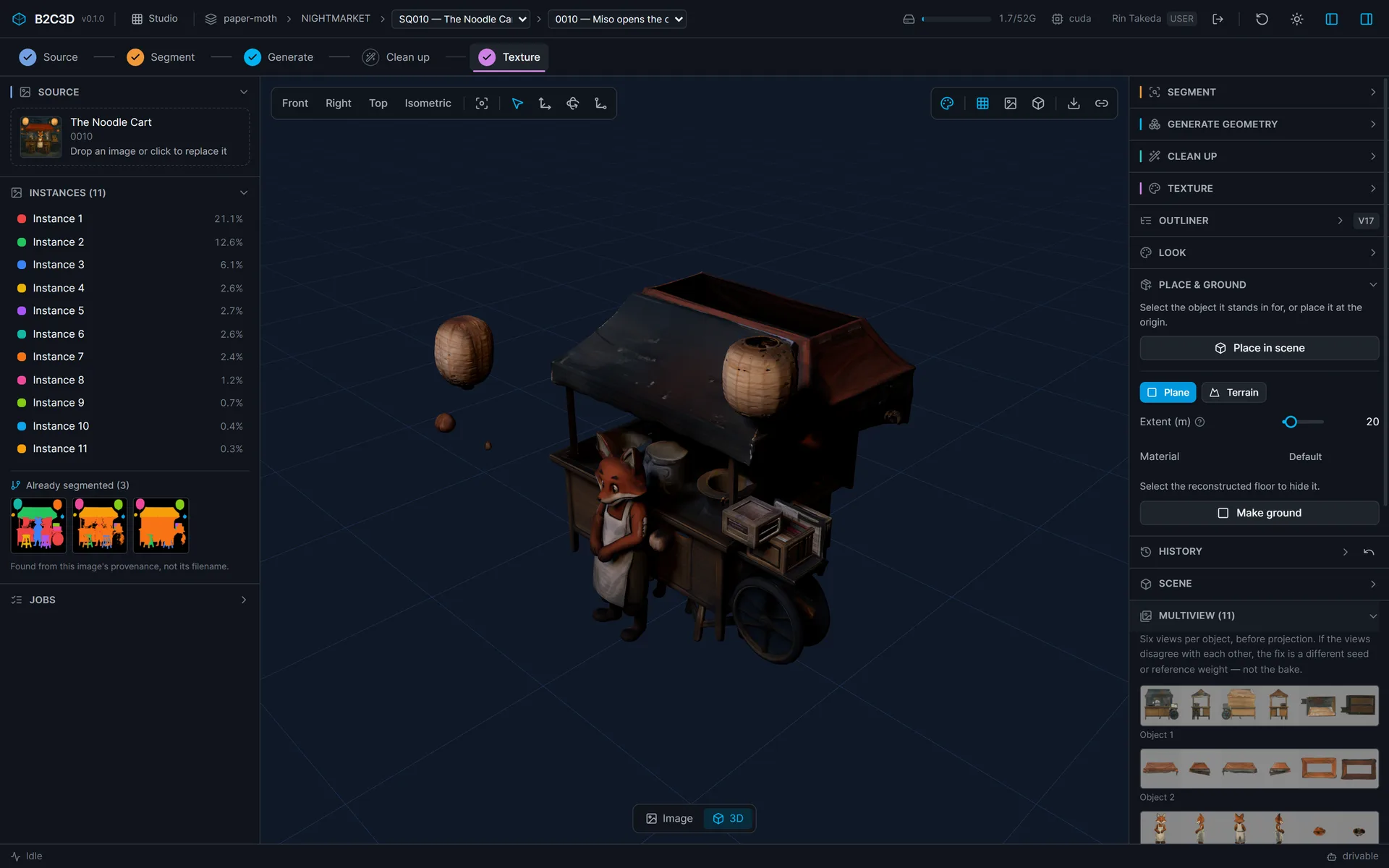
The objects are then generated in one diffusion pass, with attention shared across all of them, so each object is shaped knowing where the others are. They come out as separate meshes that already share one frame. Nothing is re-centred afterwards, because re-centring is the step that would throw that arrangement away.

Texturing renders six views of every object and bakes them into its own UV texture. The views are kept on the textured scene, so a disagreement between them can be traced and that one object textured again with a different seed.
4. Matching the concept's composition
A generated scene should look like its concept from the concept's camera. The first generation did not: Miso came out inside the cart's volume, behind the stools, because depth order between overlapping objects is where the scene model is weakest. Our composition-matching research fits the placed objects to the concept's silhouettes, from the concept's camera, and the match_composition operation runs it inside Studio.

5. Miso on his own
A character that will be rigged needs more detail than one object of a scene can carry, so Miso was also built on his own through a per-asset chain. He is lifted out of the environment concept, front on, on a plain ground, and re-posed into an A-pose with his arms out.


From that image a turnaround is generated, a ring of consistent views plus views from above. The mesh is built from the views and textured from the same views. Studio's place_asset then stands the rebuilt Miso exactly where the coarse one stood in the scene.

Small regions are where a generated character falls down, and hands are the hardest. A concept painting is almost never a reliable guide to what a character's hands should be, so the suite does not pick a default: whoever makes the character chooses, in the interface or through the API. For Miso the answer was gloved hands, as drawn.

6. A skeleton, and a fit
In Rigging, the rig model proposes joints and skin weights for Miso, including his tail. The artist then fits the show's own skeleton template, the Night Market Biped, so every character on the show shares one joint layout, and tests the shoulders by posing them before anything is saved.

7. Motion
In Animate, a forward walk from the curated motion library is retargeted onto Miso's rig. Retargeting reads both skeletons as a body, hips, spine, arms and legs, and pairs them part to part, so a take recorded on a person drives a fox whose joints are named differently. Root travel is scaled to his hip height, and the walk plays on his own skinned mesh. The clips in the gallery below are the result, still in clay with the rig showing.
Walk motion from the 100STYLE dataset (Mason, Starke and Komura), CC BY 4.0.
What it leaves behind
Every step above wrote an asset, and every asset records the one before it. Open the textured cart in Assets and Came from walks back through the cleaned scene, the scene and the segmentation to the concept image, and from there to the prompt and style it was generated from.

Gallery
Miso walking on his own rig, in the Animate viewport. Walk motion from the 100STYLE dataset (Mason, Starke and Komura), CC BY 4.0. An idle loop on the same rig. Idle motion from the 100STYLE dataset (Mason, Starke and Komura), CC BY 4.0. The noodle cart, built on its own from its turnaround and textured. 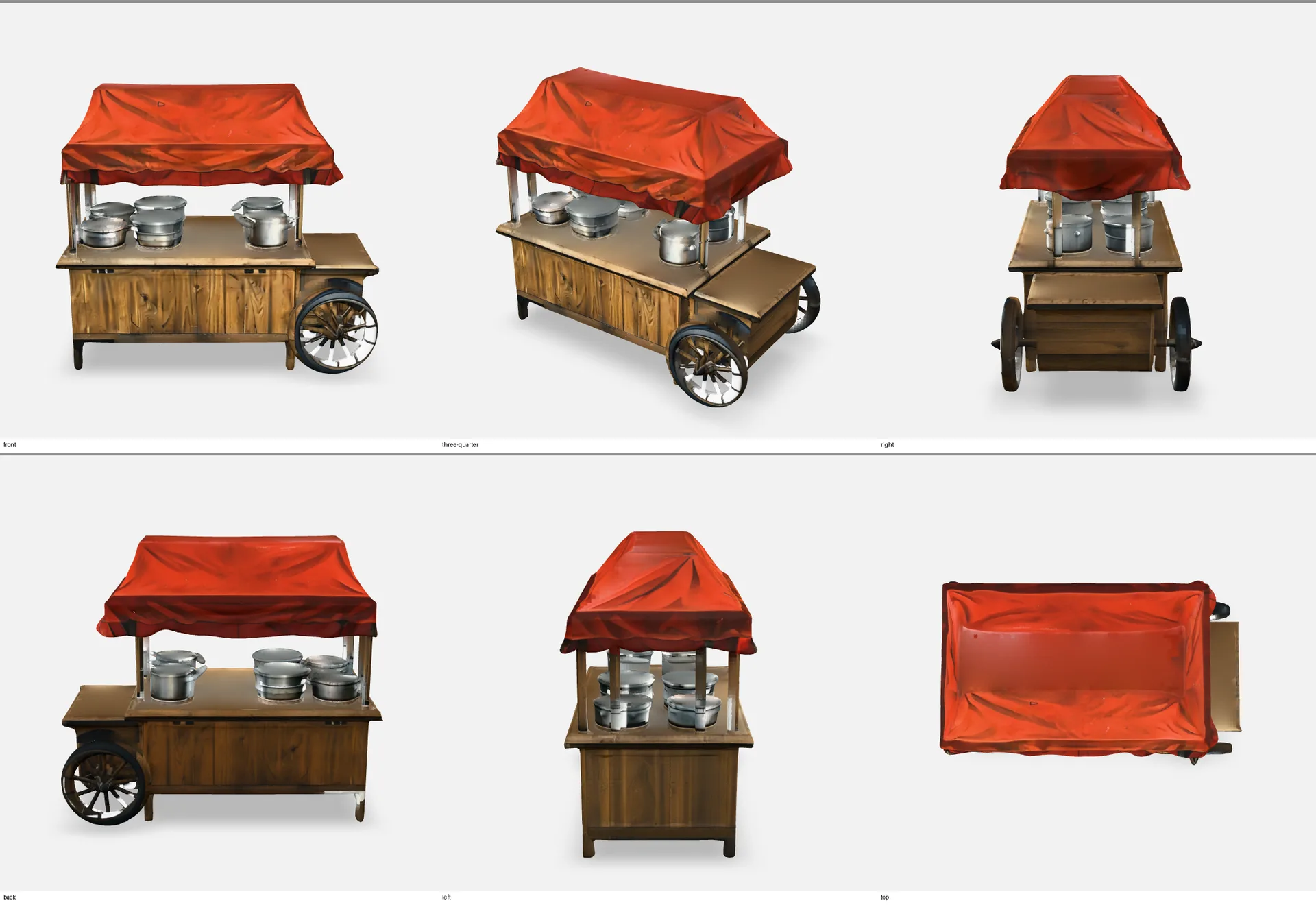
The cart from six sides. 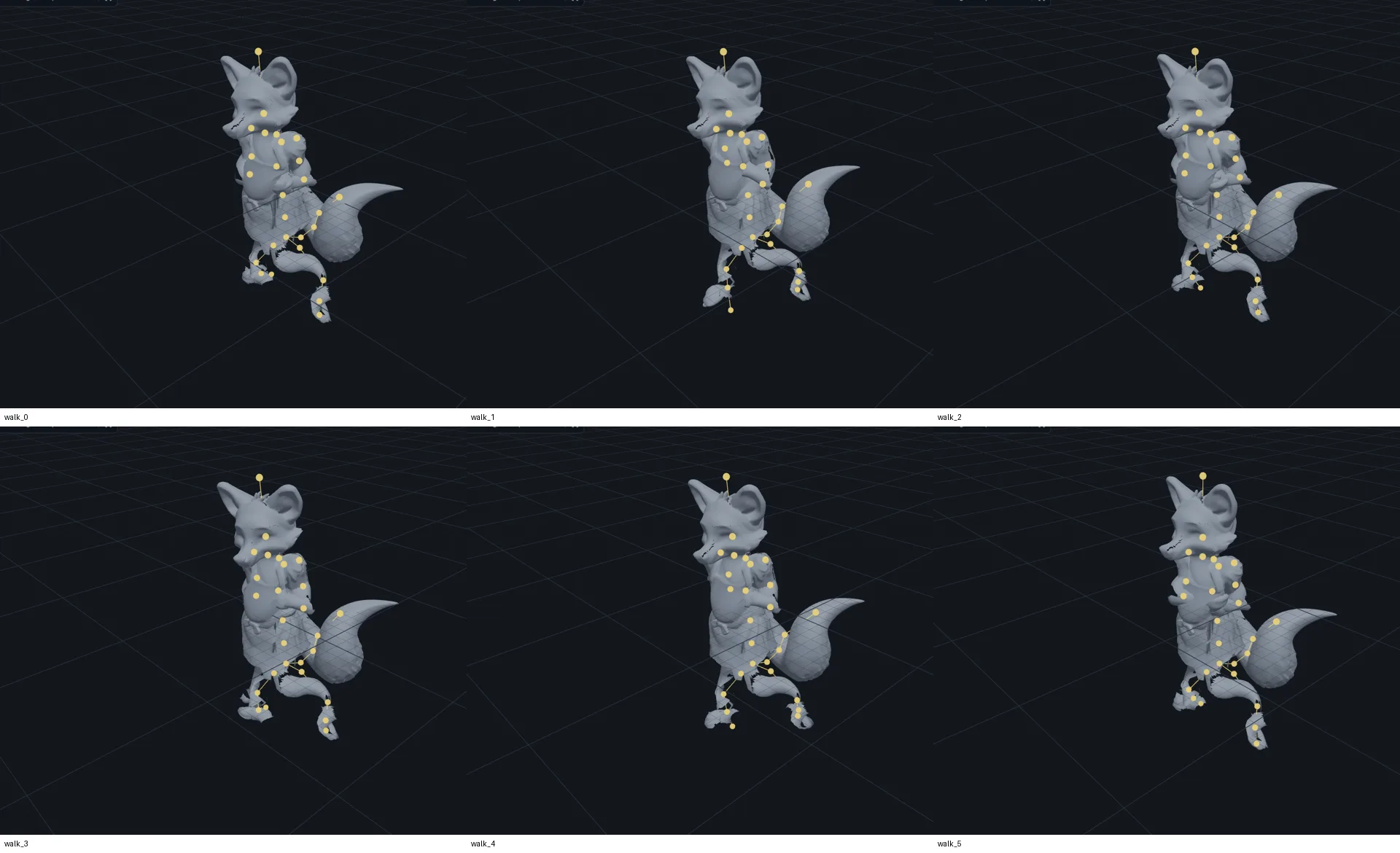
Six frames of the walk. Walk motion from the 100STYLE dataset (Mason, Starke and Komura), CC BY 4.0.
Related work
-

BigBluePipeline
A VFX studio pipeline, rebuilt as the artist-side front end for b2c3d.
-
Depth2STL and Obj2GLB
Two small open-source tools for getting 3D data where it needs to go.
-

QIE Studio
An image generation and editing studio, built by an AI agent working unattended from our specification.
-

AuRA Avatar Generator
Customizable, photorealistic presenters for AI-generated video briefings.